🐻 Now on the App Store

Teach kids that money is earned, not given.

CubWallet turns chores into real rewards. Kids complete tasks, you approve them, and balances update instantly. No bank accounts, no real transfers — you're the bank, CubWallet keeps the score.

14-day free trial · From $1.99/month · Cancel anytime

🔒 COPPA compliant 💳 No real money 👨‍👩‍👧 Unlimited kids 📱 iPhone & iPad
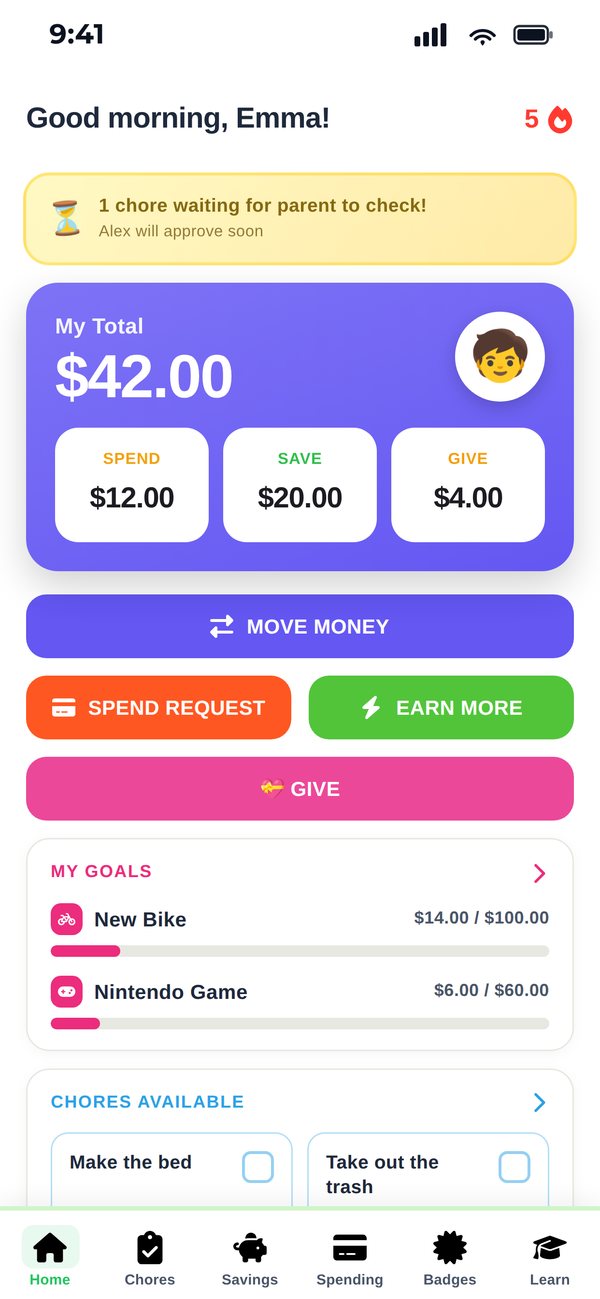
My Total
$130.00
To spend
$52.00
To save
$78.00
🫙 $130.00 sorted — nice work
See it work

A chore, approved and paid — start to finish.

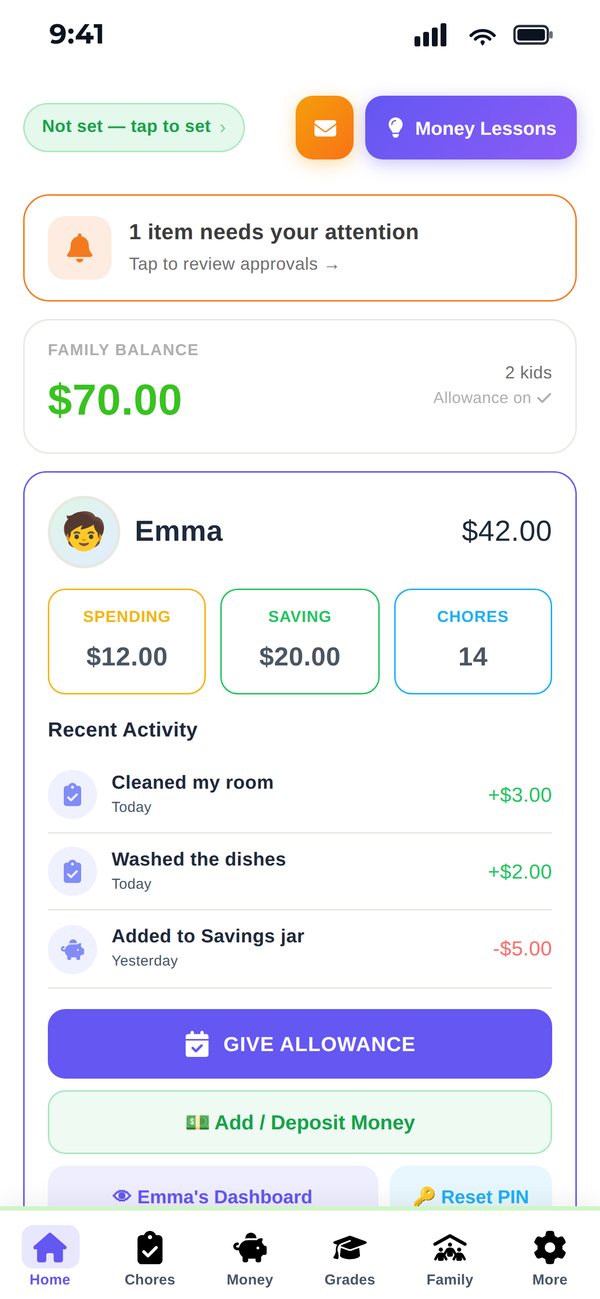
This is the real app, not a mockup. Watch a kid mark a chore done, the request land on the parent dashboard, and the balance update the moment it's approved.

  • Nothing pays out until a parent taps approve
  • Kids choose Spend or Goals for every dollar earned
  • Everything syncs across every device you sign in on
Features

Everything a family needs

CubWallet is a ledger — you're the bank, it keeps the score. No bank accounts, no card, no real transfers.

Chore approval flow

Kids mark chores done. You approve before any money is rewarded. Nobody games the system.

💳

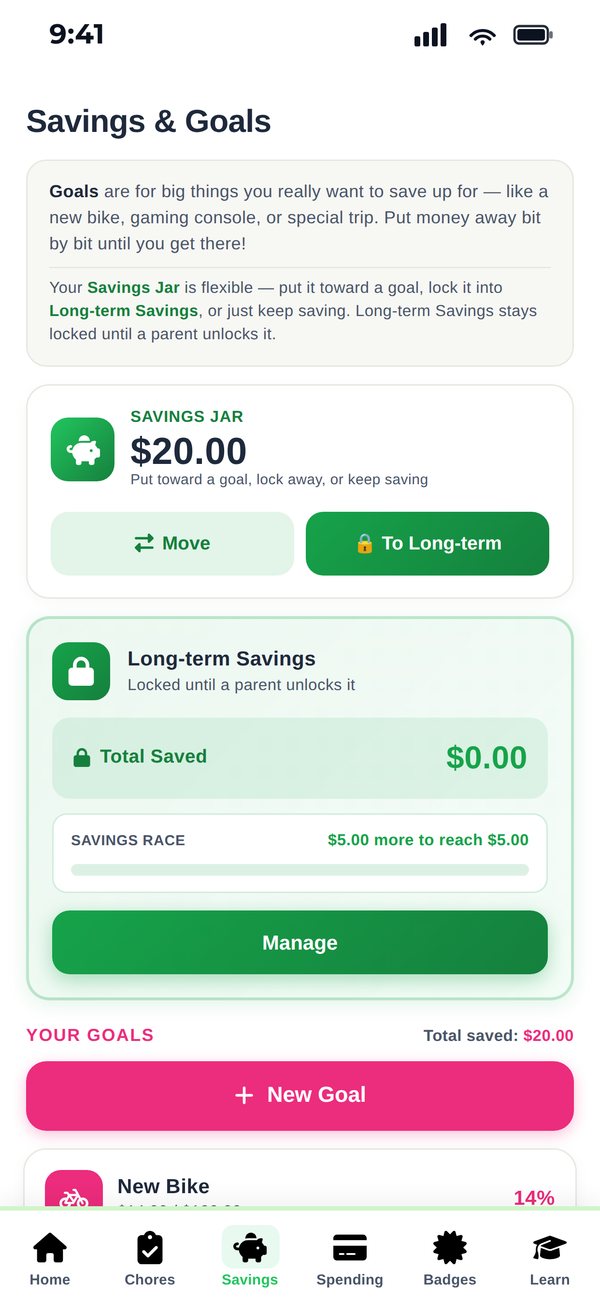
Spend & Goals jars

Every dollar earned goes to the Spend jar for now, the Goals jar for later, or splits 50/50.

📚

Grade rewards

Set custom rewards for A's, B's and C's. Kids submit grades and you approve the bonus.

🎯

Savings goals

Kids set goals for things they want. CubWallet shows exactly how many chores away each one is.

💡

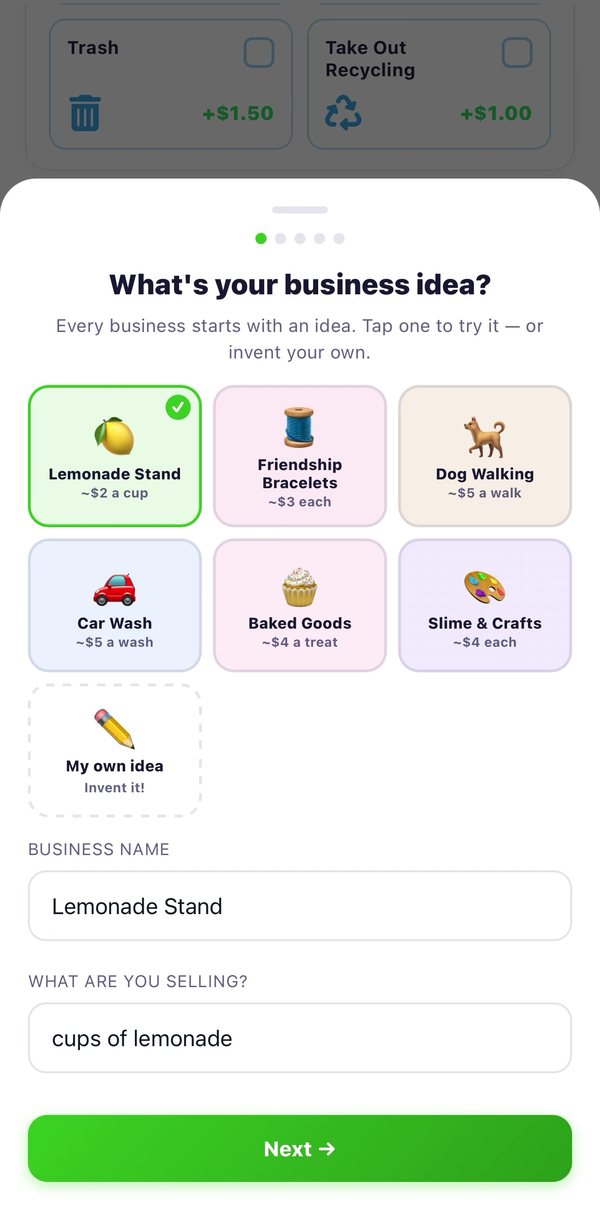
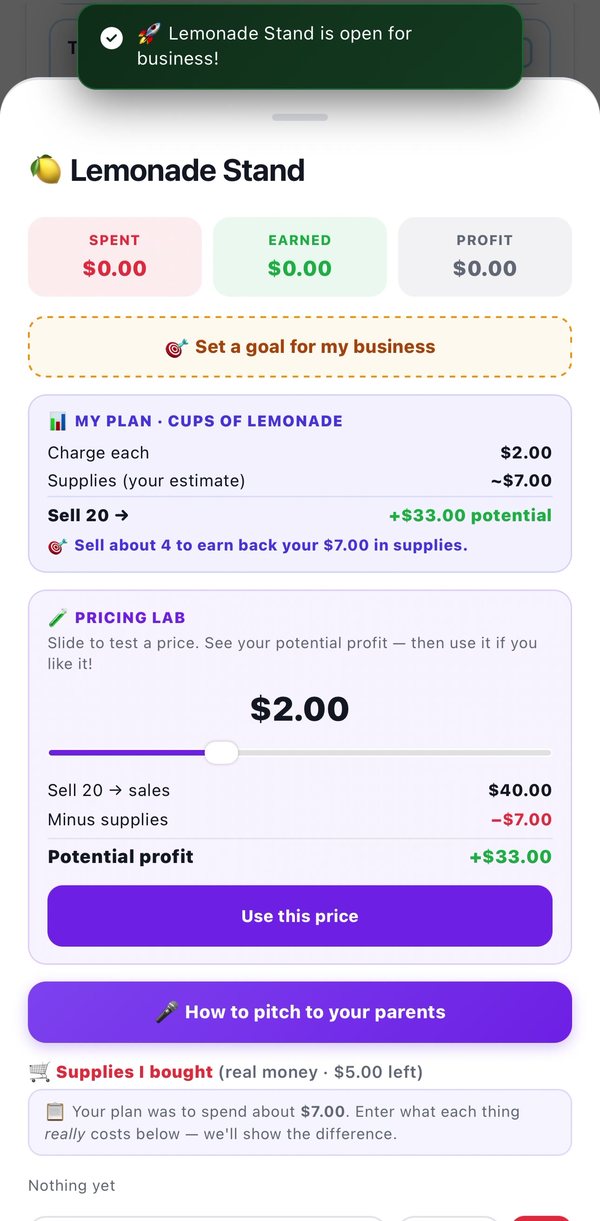
Propose a job

Kids pitch bonus jobs they want to do. You approve or deny — good for the entrepreneurial ones.

🏆

32 badges & XP

Kids earn badges across 8 categories as they save, earn and complete challenges. Streaks keep them going.

🌟

Family savings goal

Set one goal the whole family saves toward. Parents can match every dollar the kids put in.

📊

Family report card

Every kid's balance, history, needs-vs-wants breakdown and entrepreneur wins, at a glance.

🎨

Two dashboard styles

Kids 10 and under get a bright playful view. Teens get a sleek dark one. Same features, different skin.

How it works

Simple for parents, fun for kids

Four steps, and the third one is yours. Money only moves when you say so.

1

Set up chores

Add chores with a money reward or a perk like screen time. Assign them to any kid.

Parent
2

Kids complete and submit

Kids tap to mark a chore done and send it for approval. You get a notification.

Kid
3

You approve

Review and approve with one tap. The reward is granted and the balance updates instantly.

Parent
4

Kids save and spend

Kids watch the balance grow, set goals, and send a spend request when they're ready to cash out.

Kid
Two dashboard styles

One that a 7-year-old loves. One a 15-year-old won't be embarrassed by.

CubWallet picks the view based on your child's age. Same features underneath, both look right for who's holding the phone.

My Total
$34.50
To spend
$12.00
To save
$22.50
Kids 10 and under
Big numbers, bright colors, one thing to do at a time
Total balance
$182.00
LEVEL 71,840 XP
Teens
Dark, dense, levels and XP instead of stickers
Pricing

Two plans, same features

Pick monthly or yearly — they're identical apart from the price. Unlimited kids on both, and no per-child fees.

Monthly
$1.99
per month · 14-day free trial
  • Unlimited kids on one account
  • Unlimited chores & rewards
  • Savings goals & wish lists
  • Family contracts & badges
  • Syncs across all devices
Start 14-day free trial

Auto-renews at $1.99/month. Cancel anytime.

⭐ Best value — save 46%
Yearly
$12.99
per year · 14-day free trial
About $1.08/month — two months free
  • Unlimited kids on one account
  • Unlimited chores & rewards
  • Savings goals & wish lists
  • Family contracts & badges
  • Syncs across all devices
Start 14-day free trial

Auto-renews at $12.99/year. Cancel anytime.

Both plans cover everything above. Family Tools is a separate one-time $2.99 purchase that adds Entrepreneur Mode and Household Contributions — optional, and not needed for chores, goals, allowance or grades.

FAQ

Common questions

Does CubWallet handle real money?
No. CubWallet is a ledger — it tracks educational balances only. No real money moves through the app, no bank connections, no cards. When a kid wants to cash out, you hand them the money yourself.
How do kids log in?
Each child gets a private 4-digit PIN that you set. They tap their name on the "Who are you?" screen, enter the PIN, and land on their own dashboard. Siblings can't see each other's balances.
Can multiple devices use the same account?
Yes. Sign in on any iPhone or iPad and your family's data syncs instantly.
How do I cancel?
iPhone Settings → tap your name → Subscriptions → CubWallet → Cancel. You keep access until the end of the billing period.
Is CubWallet COPPA compliant?
Yes. Children never create accounts and never enter personal information. Only the parent creates an account; kids log in with a PIN only.
What's the difference between the young kid and teen view?
CubWallet shows a bright colorful dashboard for kids 10 and under, and a dark one with levels and XP for teens. Same features, different style. See both.

Ready to get started?

14-day free trial · Cancel anytime in Settings · Free to download

Start free trial